
OCR Agent
Every incoming document, captured, classified and routed.
OCR Agent handles your document intake, from the mailroom (bureau d’ordre) to your ERP: it captures paper and digital documents, classifies them, extracts the information you define and routes each one into the right workflow.
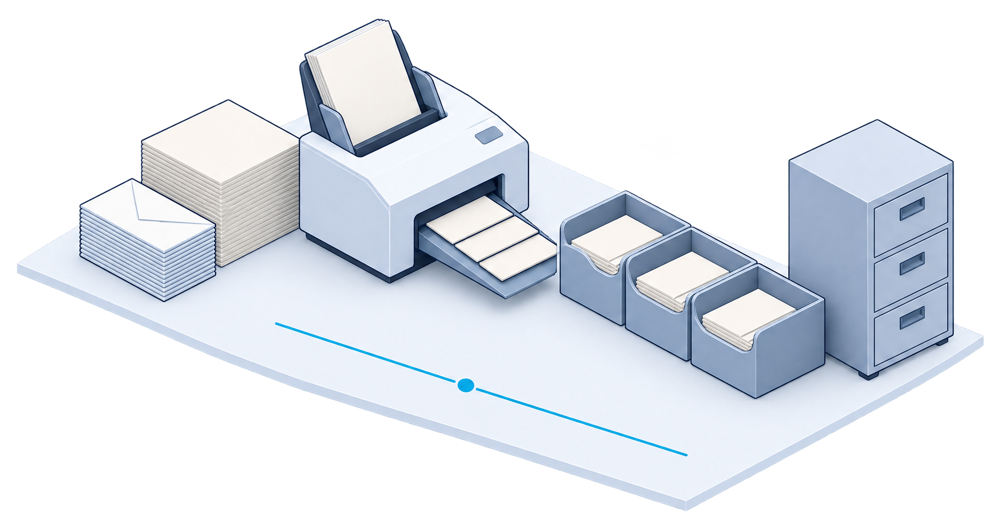
The problem
From the mailroom to the right workflow.
Invoices, delivery notes and mail arrive by email and on paper. Someone opens, sorts, registers and re-keys them before anything can move, and finding a document later means asking who received it.
When documents are read, sorted and keyed by hand, the backlog grows with every delivery.
Capture
Scan paper documents and collect digital ones in a single intake.
Classify
Recognise the document type and register it, as a bureau d’ordre would.
Extract
Read the information you need from each document, ready for checking.
Route
Send each document to the right person or workflow, and keep track of where it is.
Follow a document from arrival to filing.
The same path for every document, with OCR Agent keeping track at each step.
Arrive
Mail and email documents enter one intake.
Read
The document is read and its type recognised.
Check
Uncertain readings go to a person to confirm.
File
The document reaches its workflow and your ERP, and is filed.
Less re-keying. Documents you can find again.
What changes for the teams who use it.
One intake
Paper and digital documents are registered in the same place.
Traceable
Each document’s path is recorded, from arrival to filing.
People stay in charge
Uncertain readings are confirmed by a person.
Connected
Documents feed Pexin workflows, WINS receiving and your ERP.
OCR Agent sits at the entrance of your document flows.
It complements your ERP and document systems rather than replacing them. Captured documents can feed Pexin workflows and WINS receiving. The exact connection is reviewed with you during the demo.
Mail & email
Incoming documents
Capture, classification, routing
Workflows and receiving
Your ERP & existing systems
Shared data backbone
Frequently asked.
What teams usually ask before a demo.
Which documents can it handle?
Incoming documents such as invoices, delivery notes and mail. The document types to start with are defined with you.
What happens when a document is hard to read?
Uncertain readings are sent to a person to confirm before the document moves on.
Does it replace our document management system?
No. It captures and routes documents, and works alongside the systems you already use to store them.
Which ERPs does it connect to?
We review your environment and the connection approach with you during the demo.
Complementary solutions.
Add them when your next priority calls for it.
Enterprise Workflows
Pexin
Modular business apps for internal workflows, connected to your ERP by API.
- Expense reports, leave, certificates
- Purchase requests and approvals
- Connected to your ERP by API
Warehouse & Logistics
WINS
Warehouse Intelligence System: receiving, storage, preparation and shipping, connected to your ERP.
- Structured, checked receiving
- Known locations, consistent stock
- Order preparation and shipping
Business Insights
Insight
KPI dashboards and simplified, AI-assisted analysis.
- KPI dashboards
- Simplified, AI-assisted analysis
- Data from your other solutions
Seven solutions in all
Each one works on its own and connects to the others through your ERP.
See all solutions
Every incoming document, captured and sent to the right place.